Most Slovak companies use the terms "digitization" and "digital transformation" as synonyms. In practice these are three different things, and confusing them costs companies both money and time — either they needlessly blow the budget, or, conversely, they postpone for years steps that would bring them immediate savings. In this article we'll put the terms in order and show where your company should really start and in what sequence.
What does digitization mean (and what it really doesn't)?
In English, the narrowest term is digitization — converting information from physical into digital form. You scan a paper invoice, transcribe an order notebook into a file, save a contract as a PDF. Nothing more.
Typical examples of "plain" digitization:
Scanning paper documents into PDF
Transcribing data from paper or a notebook into Excel
Photographing delivery notes with a phone
Saving contacts from a drawer into a spreadsheet
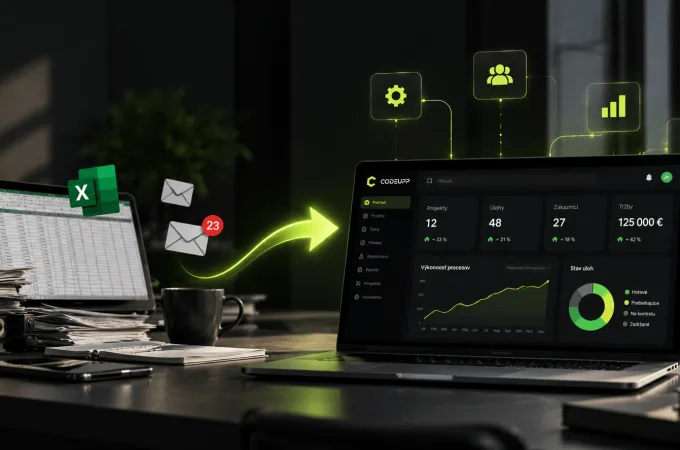
It's the first and necessary step, but on its own it won't change the company. You may have the data digitally, but you still search it manually, retype it and make mistakes in it. Excel with 40 tabs is not a digitized company — it's just digitized paper.
What is process digitalization?
The second term, digitalization, means deploying digital technologies directly into how the company operates. It's no longer just about the data, but about how you work with it — how it flows between people and departments.
Examples of process digitalization:
Moving from Excel to a CRM system where the salesperson has the client's entire history
DMS (document management system) instead of a shared drive full of versions
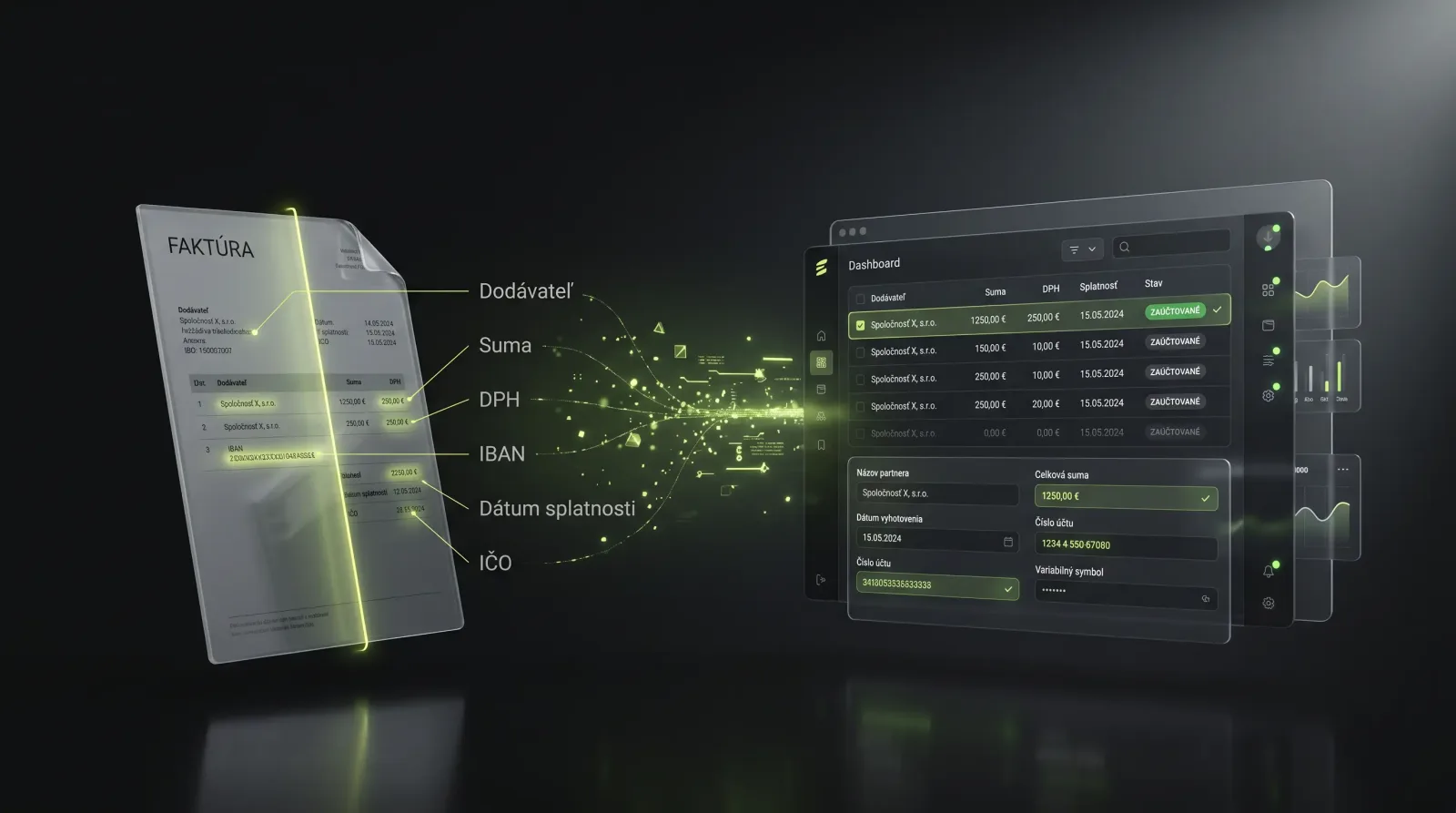
OCR invoice extraction — the system reads the supplier, amount and due date itself and pre-fills the record
Workflow approval — a leave request or an order travels automatically to the right approver
Automatic connection of the e-shop, warehouse and accounting
This is where real savings arise — less manual work, fewer errors, order in the data. It is precisely in this phase that the return is highest for small and medium companies. You'll find more concrete examples in the article 5 ways digitalization saves dozens of hours a month.
What is digital transformation?
The third and most complex term is digital transformation. This is not about one process or one system, but about a fundamental change to how the entire company works — including the business model, processes and corporate culture.
Illustrative examples of transformation at the business-model level:
Airbnb — owns no hotels, yet changed the entire accommodation market
Wolt / Bolt Food — connected restaurants, couriers and customers into a single platform
A manufacturer that stops selling only a product and starts selling a service with digital monitoring
Transformation means that digital technologies are not a support for the existing business — they define the business itself. That requires a clear strategy, investment and, above all, a change in people's mindset. It's not a three-month project.
Why is digitalization a bridge to transformation?
The order is key. You can't transform a company that doesn't yet have order in its data and processes. Transformation rests on high-quality, accessible and connected data — and you obtain that precisely through digitalization.
Term | What it solves | Example | When it makes sense |
|---|---|---|---|
Digitization | Paper → data | Scanning an invoice into PDF | Always as the first step |
Process digitalization | Data → functional system | CRM, OCR, workflow | For most SMEs |
Digital transformation | Change of the business model | A new digital service | After mastering the processes |
Put differently: every transformed company went through digitalization, but not every digitalized company needs transformation. And that's the point many people confuse.
Does your company need transformation right away?
The short answer for most Slovak SMEs: no. "Digital transformation" sounds like something you have to do so as not to fall behind. In reality, however, most companies gain the most by meaningfully digitalizing the processes that slow them down every day.
Better to ask yourself this way:
Where do we spend the most time on routine (searching, retyping, approving)?
Where do the most frequent mistakes arise that cost us money?
Where do we lack an overview — of clients, orders, documents?
If the answers point to Excel, paper and "approved, go ahead" e-mails, your path is not transformation but honest process digitalization. And you should automate what makes sense — not automation for automation's sake. We also show how to do it systematically in the article how to introduce AI agents in a company.
Where to actually start, in 5 steps?
A proven approach for a company still on paper and in Excel:
Map the processes. Write down how an order, invoice or inquiry actually flows from start to finish. You'll see where the data is retyped multiple times.
Pick one painful process. Don't start with everything at once. Choose the one that costs the most time or causes the most errors (often invoicing or client management).
Deploy one system. For example a CRM instead of Excel for clients, or OCR invoice extraction. Measure the time saved before and after.
Connect the systems. Once the first one works, connect it with others — the e-shop with the warehouse, the CRM with invoicing. This is what systems orchestration deals with.
Automate and scale. Only once you have order in your data should you add automation and possibly AI. That's when room for real transformation arises too.
If you're not sure where the greatest potential in your company lies, AI and process automation will help — an analysis will show you what's worth tackling first.
How much does it cost and what comes back?
The price depends on the scope, but for orientation:
Solution | Approximate scope | Typical saving |
|---|---|---|
Custom CRM instead of Excel | one-off deployment + customization | 5–15 h/month per salesperson |
OCR invoice extraction | according to document volume | up to 70% of the time to process an invoice |
Workflow approval | modular deployment | days of approval → hours |
Connecting e-shop + warehouse + accounting | integration project | elimination of manual retyping |
More important than the price is the return. If a system saves an employee 10 hours a month, you can easily calculate how quickly the investment pays off. You can estimate exact figures for your case using the AI savings calculator.
What to watch out for:
Don't buy a system "because others have it too". Solve a specific problem.
Don't underestimate people. Even the best system fails if the team doesn't use it.
Don't start with transformation. Without healthy processes it's throwing money into the air.
Frequently asked questions (FAQ)
Is digitization the same as digital transformation? No. Digitization is converting data and processes into digital form. Digital transformation is a comprehensive change of the business model and corporate culture. Digitization is the prerequisite, transformation is the goal for some companies.
Do we need an expensive ERP to be "digital"? No. For many SMEs a good CRM, a DMS and a few automations are enough. A large ERP makes sense only at a certain size and complexity. Start where it pinches you most.
How long does it take to digitalize one process? A simple process (e.g. client management in a CRM) can be deployed within weeks. More complex integrations take longer, but we always recommend starting with a smaller step with measurable savings.
Summary
Digitization, process digitalization and digital transformation are three different things — and the order is key. First move your data from paper and Excel into systems, then digitalize and automate processes with a clear return, and only once you have order should you consider transforming the business model. Most Slovak companies don't need "transformation" right away — they need to meaningfully digitalize what slows them down every day.
Want to know which process in your company is worth digitalizing first? Schedule a free consultation — we'll look at your processes and tell you where the fastest saving is.